
TapRead - Read Good Story
ZONGHENG CULTURE, INC.Books & Reference
3.91.46K Reviews
- Version
- 3.42.5
- Installs
- 1.00M
- Age Rating
- Mature 17+
Screenshots
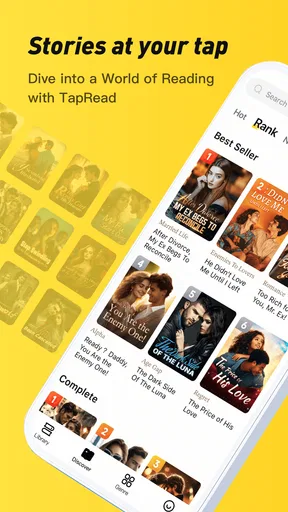

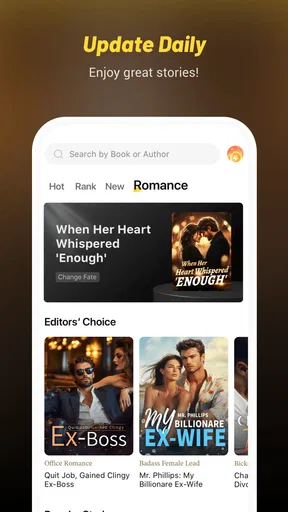
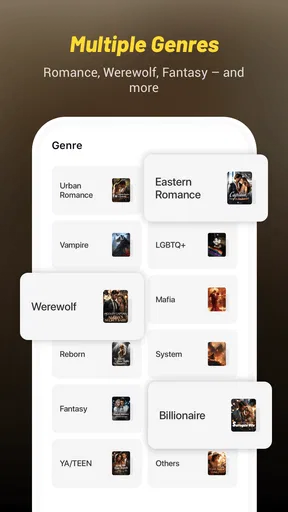
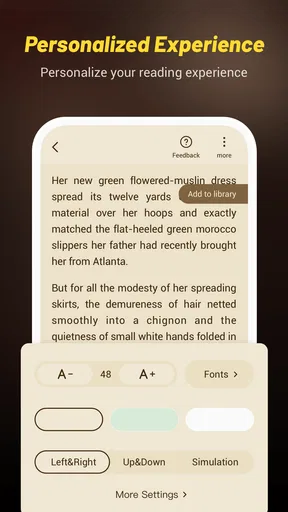
Our Review of TapRead - Read Good Story
 Analysis by Appyee
TapRead - Read Good Story is the kind of reading app I open when I want a steady stream of fiction rather than a single book I have already chosen. It belongs to the Books & Reference category, and its main appeal is simple: it puts a large selection of novels and stories in one place so I can browse until something catches my attention. That sounds modest, but the difference in daily use is important. Instead of deciding what to buy before reading, I can explore first and let the app guide my next choice.
I spent time treating it less like a traditional digital bookshelf and more like a discovery tool. That is where it makes the strongest impression. The experience is built around finding a story, opening it quickly, and deciding whether I want to continue. For readers who enjoy serialized fiction, changing genres, and the small surprise of discovering an unfamiliar author, TapRead works best as a flexible reading companion rather than a replacement for a carefully curated e-book library.
The app is free to download, carries a Mature 17+ age rating, and is developed by ZONGHENG CULTURE, INC. Its current version is 3.42.5, and it runs on Android 7.0 or later. Those details make it accessible to people using older Android phones, although the mature rating is worth taking seriously if the device is shared with younger readers.
Why story discovery is the real strength
I like that this section treats browsing as a skill, not just a way to pass time. A small intention—choosing a mood or the kind of opening I want—can make discovery feel more rewarding and keep a large choice of stories from becoming its own distraction. That perspective also helps explain what the app is like once I move from picking a title to reading it.
A reading habit built around browsing
The most useful capability here is not simply storing novels. It is the way the app encourages me to discover what to read next. With a conventional e-book app, I usually arrive with a title in mind, search for it, and begin. TapRead takes the opposite route. I can browse through available stories, sample a premise, and move on quickly if the opening does not work for me.
That approach suits readers who do not want to commit to a long book based only on a cover or a short description. I can use the first part of a story as a practical test. Does the writing feel natural to me? Is the pace moving? Do I care about the central conflict? If the answer is no, moving to another title is less frustrating than forcing myself through a book I chose too quickly.
This makes the app especially useful during short gaps in the day. I might have only a few minutes while waiting for an appointment, but I can still browse and read a section without preparing a full reading plan. Later, I can return to the story that held my attention. The benefit is not that every recommendation will be perfect; it is that the cost of trying something new feels low.
How I use the discovery flow
I get better results when I browse with a loose intention instead of scrolling without a goal. For example, I might decide that I want something dramatic, romantic, mysterious, or simply easy to follow after a tiring day. I then give a few candidates enough time to show their tone before choosing one. This small habit prevents the endless-scroll problem, where I spend more time selecting a story than reading it.
A useful personal rule is to judge a title in stages. First, I look at the premise. Then I read enough to notice whether the opening establishes a clear reason to continue. Finally, I ask whether I want the next section immediately or would rather save the title for another mood. This turns TapRead into a personal filter rather than a passive list of novels.
Readers should also remember that discovery-oriented apps can make reading feel more like browsing entertainment than collecting finished books. That is not automatically negative. I enjoy the freedom, but I would not use this as my only reading tool if my goal were to organize a permanent library of purchased classics, research material, or reference books.
What the capability changes in everyday reading
The practical effect is variety. When I use a standard bookstore app, I tend to repeat familiar authors or genres because search results reinforce what I already know. TapRead makes it easier to take a chance on a story I would not have searched for directly. That can lead to pleasant surprises, but it also means I need to be more selective.
There is a trade-off between abundance and certainty. A broad catalog gives me more opportunities to find a good match, yet it also asks me to spend attention on titles that may not suit me. I see this as the central question for potential users: do you enjoy exploring, or do you prefer to choose one known book and read without interruption? My answer changes depending on the day, which is why I find the app useful as a second reading option.
How it feels in practical use
For me, the useful question is how well a reading routine fits around the day, rather than whether I can settle in for a long session. Short reading windows can work, but they also make it worth noticing whether I can resume the story I meant to follow and avoid losing time to fresh browsing. The next section looks at those practical habits and the trade-offs behind them.
A realistic evening routine
Imagine finishing work with enough energy for a story but not enough for a complicated decision. I open TapRead, browse for a few minutes, and look for a premise that matches my mood. I begin one novel, read through the opening, and decide whether it deserves my attention. If it does, I continue in short sessions. If it does not, I return to discovery instead of treating the failed choice as a wasted evening.
This workflow is more comfortable than opening a large e-book and realizing after several pages that I am not interested. It also works well when I want a regular fiction habit but do not want to plan a reading list in advance. The app supports a more spontaneous relationship with novels: read when the mood appears, change direction when it disappears.
For commuters and casual readers, that flexibility can be a genuine advantage. A person who reads in small bursts may value immediate access to many stories more than advanced library management. I would also recommend it to someone trying to return to reading after a long break. Starting with a short browsing session feels less demanding than choosing an ambitious book and promising to finish it.
Keeping the experience manageable
My best advice is to avoid opening too many stories at once. Discovery is enjoyable, but a growing collection of half-read titles can make the app feel cluttered mentally, even if the interface itself remains easy enough to use. I prefer to keep one main story and perhaps one backup for a different mood. That gives the discovery feature room to help without turning every reading session into another decision.
I also recommend checking the mature age label before handing the app to a teenager. The 17+ classification signals that the stories may not be appropriate for younger readers. Since the app is designed around a broad range of fiction, parents should make their own judgment rather than assuming that every title has the same tone or subject matter.
Another practical point is spending. The app is free, but it includes in-app purchases ranging from $0.99 to $199.99 per item. That does not make the free starting point meaningless, but it does mean I would set a personal budget before becoming invested in a long story. A reader who dislikes paid progression or wants every chapter included without additional decisions may find the model uncomfortable.
Where it differs from ordinary alternatives
Compared with a conventional e-book store, TapRead feels more focused on ongoing discovery than on buying a known title and placing it neatly on a shelf. A bookstore-style app is usually better when I want a specific author, a particular edition, or a book I plan to keep. TapRead is more appealing when I want to browse fiction and see what earns my attention.
Compared with a general reading app that handles many formats, it is less attractive for people who read PDFs, textbooks, technical documents, or personal files. I would choose a dedicated document reader for study and a traditional e-book library for long-term ownership. TapRead has a clearer role: casual and committed fiction reading driven by a steady supply of stories to explore.
That distinction matters because no single reading app is ideal for every purpose. If I am researching a subject, marking up a document, or building a carefully organized collection, I want tools designed for those tasks. If I am looking for a new novel without knowing exactly which one, TapRead has the more natural starting point.
The compromises I noticed
I think connectivity deserves a closer look because a story app can feel different when I am moving between places or dealing with an unreliable connection. I would plan to explore and choose stories when access is dependable, rather than assume every part of the experience will be available offline. That distinction matters most for readers who rely on brief sessions during a commute or away from home.
Choice can become effort
The same discovery system that makes the app inviting can also become tiring. When there are many possible stories, I sometimes spend too long comparing openings instead of settling down to read. This is a common problem with content-rich apps, but it is particularly noticeable when the main reason for opening the app is to find something quickly.
I solve it by giving myself a short selection window. I choose the first title that meets my basic requirements and read it without continuing to browse. If it fails to hold my interest, I switch once and then stop searching. This is not a feature of the app; it is a workflow that keeps its strongest capability from working against me.
Free access does not mean a completely frictionless journey
The free price makes experimentation easy, but the presence of optional purchases changes how I think about long stories. I am comfortable trying the app without paying, yet I would not begin a lengthy serial while assuming that every part of the experience will remain equally open. Anyone who strongly prefers a one-time purchase should compare that expectation with TapRead's purchase model before settling in.
The upper end of the listed purchase range is substantial, so I would be especially careful with impulse spending. A good practice is to decide whether I am only sampling stories or whether I am willing to pay for continued access to a favorite. That distinction keeps the app enjoyable and prevents a compelling cliffhanger from making the decision for me.
The mature rating narrows its audience
The 17+ rating is another meaningful limitation. Adults looking for mature fiction may see that as appropriate, but families seeking a general-purpose reading app should look elsewhere or supervise use carefully. I would not describe TapRead as a universal children’s reading shelf simply because it contains stories. The age guidance should shape who uses it and how.
There is also a difference between enjoying a story in short sessions and wanting a polished, uninterrupted reading environment. Readers who are sensitive to interruptions, strongly prefer a minimalist page, or want complete control over typography may feel more comfortable in a dedicated e-reader. TapRead earns its place through access and discovery, not necessarily through replacing every specialized reading tool.
Who will get the most from it
I would judge the app by whether its discovery-led approach matches the reader’s routine, not by how many stories appear on screen. Someone who enjoys sampling fiction and can make deliberate spending choices may find a useful companion here; someone seeking a predictable, fully owned library may prefer a conventional e-book app. The following section brings those differences together into a practical connectivity verdict.
Best suited to curious fiction readers
I would recommend TapRead to readers who like trying unfamiliar novels, especially those who often say they want to read but do not know what to choose. It is also a good match for people who enjoy serialized storytelling and prefer returning to an ongoing narrative in small sessions. The app gives those readers a low-commitment way to test different stories before deciding where to invest their time.
It may also help someone who has outgrown a narrow reading routine. If I keep rereading the same types of books, browsing through a wider selection can push me toward different premises and writing styles. The result depends on my own patience, but the app makes experimentation easier than a search box alone.
Who should choose something else
I would steer away from TapRead if my main goal were academic reference, professional documents, personal PDFs, or a carefully managed collection of books I already own. A dedicated e-reader or document app would be more suitable in those cases. I would also hesitate to recommend it to younger readers because of the Mature 17+ rating.
Readers who strongly dislike in-app purchases should approach it with a clear limit in mind. The free entry point is useful for testing the reading experience, but the listed purchase range means that long-term use may involve spending decisions. If I want a predictable single-price model, another kind of e-book service may fit better.
My final recommendation
TapRead - Read Good Story succeeds when I use it for what it does best: discovering fiction quickly and turning spare moments into reading time. I like the freedom to sample a premise, abandon a weak match, and move toward another story without making every choice feel permanent. That capability has real value for casual readers and for anyone rebuilding a reading habit.
My recommendation comes with boundaries. I would keep spending under control, treat the mature rating as an important part of the decision, and avoid expecting the app to function like a study tool or a permanent e-book archive. With those expectations in place, the free app is worth trying for adults who enjoy browsing more than planning.
Its average rating is 3.9 from around 11K ratings, with roughly 1.5K written reviews, and it has passed the million-install mark. Those figures suggest a sizeable audience, but they do not replace personal fit. In my experience, the right question is not whether it contains enough stories; it is whether I enjoy the process of finding them. If the answer is yes, TapRead can make the next reading choice pleasantly easy.
Verdict
Strengths of TapRead - Read Good Story
- Large catalog of romance, fantasy, and serialized stories
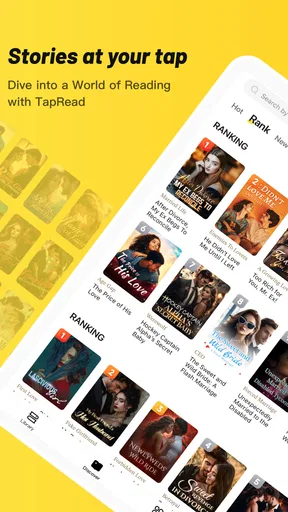
- Personalized recommendations help discover new titles
- Offline reading is convenient for travel or low-connectivity areas
- Regular chapter updates keep ongoing stories engaging
- Simple interface makes browsing and reading easy
Limitations of TapRead - Read Good Story
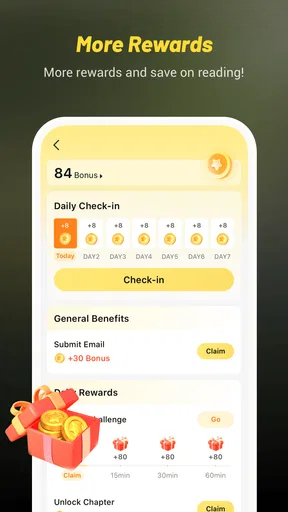
- Many chapters may require coins or in-app purchases
- Some stories contain frequent advertisements
- Story quality can vary between different authors
- Updates may be slow for certain unfinished titles
- Availability of books and features can vary by region
Similar Picks in This Category
View All
Google Play Books & Audiobooks
Google LLC4.7

네이버 - NAVER
NAVER Corp.3.5

Wattpad - Read & Write Stories
Wattpad.com3.7

King James Bible - Verse+Audio
Ozion4.8

Bible Offline-KJV Holy Bible
Bíblia Offline4.9

Amazon Kindle: Reading App
Amazon Mobile LLC4.8
Frequently Asked Questions
What is TapRead - Read Good Story?
TapRead - Read Good Story is a mobile reading platform focused on serialized fiction, including romance, fantasy, drama, mystery, and other popular genres. After opening the app, readers can browse recommended titles, explore categories, and continue stories chapter by chapter. Its catalog and availability may vary by region, so users should check the current selection before downloading.
Is TapRead - Read Good Story free to use?
TapRead can generally be downloaded and used without an upfront purchase, and some stories or chapters may be available for free. However, access to later chapters, premium novels, or special content may require in-app currency, subscriptions, or other purchases. Before spending money, review the app’s pricing, recharge options, and refund conditions shown in your store and account.
Does TapRead work offline?
Offline reading availability can depend on the specific title, chapter, and app version. Some content may need to be opened or downloaded while connected to the internet before it can be read without a connection. Users should also expect occasional online checks, advertisements, synchronization, or account verification, so TapRead is best used with an internet connection for the complete experience.
What genres and content can readers find on TapRead?
The app is primarily designed for readers who enjoy ongoing web novels and serialized stories. Its library commonly includes romance, contemporary fiction, fantasy, billionaire or celebrity dramas, adventure, suspense, and other genre-based fiction. Because stories may include mature themes, emotional conflict, or suggestive situations, parents and younger users should review the content ratings and descriptions before reading.
Is a TapRead account required, and can progress be synchronized?
You may be able to browse some TapRead content without creating an account, but signing in is usually useful for saving reading progress, managing purchased coins or credits, receiving recommendations, and continuing across devices. Synchronization depends on using the same supported login method and a stable connection. Users should protect their credentials and confirm account details before making in-app purchases.
